PFTrack 26.05.19 Is Now Live — Release Notes

Updated: Oct 1
A substantial release. New Hero Cloud node, direct export to Postshot for Gaussian splat training, USD export with dense point clouds, Photo Mesh integration with Hero Cloud, 7-day full-export trial mode, and a number of fixes. Available now from your PFTrack account.
You can find the full release notes in the PFTrack development record.
Overview
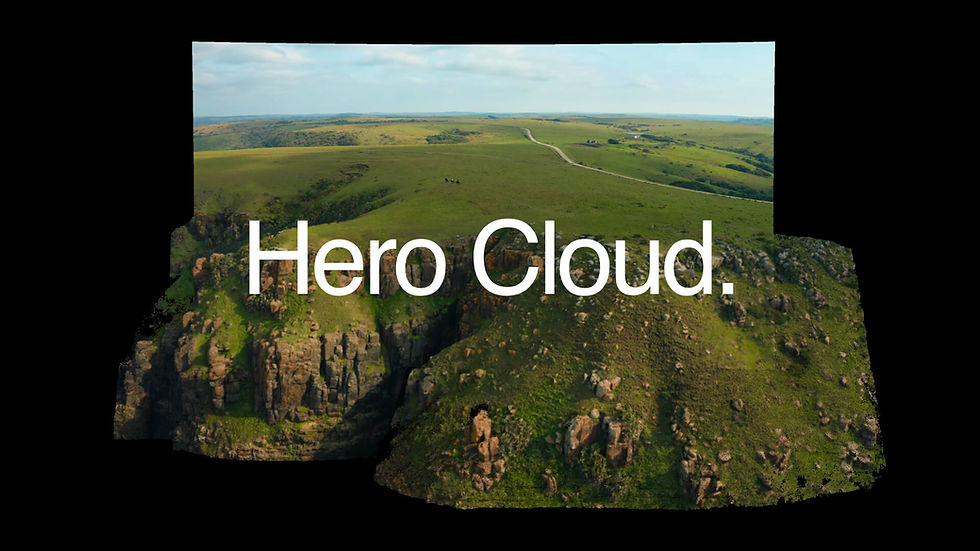
PFTrack 26.05.19 is one of the more substantial releases we’ve shipped in some time. The headline addition is Hero Cloud, a new node that generates a measured 3D point cloud directly from a single tracked plate. The release also extends PFTrack’s export pipeline with a direct export to Postshot in COLMAP format for Gaussian splat training, USD export with dense point clouds plus per-point normals and colour, and Photo Mesh integration with the new Hero Cloud node (Studio and Enterprise editions).
The trial mode has been extended too: new users on the Solo trial now get full export functionality for seven days, which means a trial user can take a real plate from track all the way through Hero Cloud and into Postshot or USD.
Full changelog below. All changes are in 26.05.19 unless otherwise noted.
New Features
Hero Cloud node (all editions)
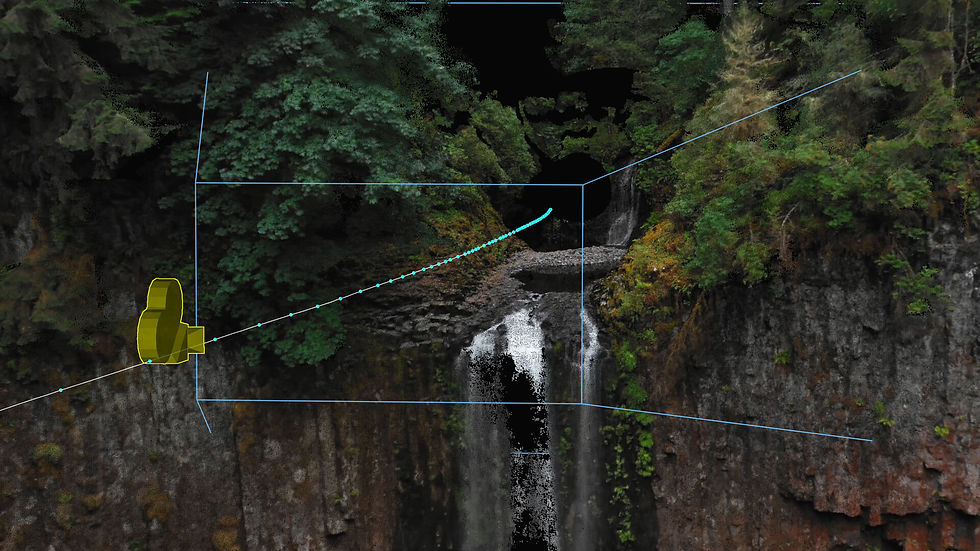
A new node in the Geometry category. Hero Cloud builds a dense 3D point cloud from a solved camera. Run it on any plate that’s been tracked and solved — the node will reconstruct depth from the camera’s movement through the scene and produce a measured point cloud ready for downstream use.
Hero Cloud works with any footage PFTrack can track: cinema cameras, drones, body-cams, dash-cams, action cameras, mirrorless and DSLR, CCTV, archival film. The shot needs parallax in the camera move — most production footage has enough.
Available in every PFTrack edition (Solo, Studio, Enterprise). Full documentation and a hands-on tutorial are linked at the end of this article.
Postshot export node (all editions)
A new export option in the Scene Export node. Writes Hero Cloud point clouds and the associated tracked cameras out in COLMAP format — the standard input for Postshot and the wider Gaussian splat training ecosystem. Track the plate, run Hero Cloud, export to Postshot, train your splat. The whole flow stays inside artist-friendly tools.
USD export with dense point clouds (all editions)
USD export now supports dense point clouds with per-point normal and colour data. Cleaner integration with Unreal Engine, Maya, Houdini, and the rest of the USD-aware ecosystem. The point cloud carries directional and visual information into downstream tools rather than just spatial coordinates.
Active Camera viewport (all editions)
Viewer windows now have an Active Camera viewport with an option to snap the camera pose to the active clip. Useful for verifying Hero Cloud reconstruction visually against the source plate, but it has wider workflow value too — anywhere you want a quick “see what the tracked camera saw” view.
Trial mode now full export for 7 days (Solo trial)
New users on the Solo trial can now export at full functionality for seven days, rather than only being able to evaluate the toolset. A trial user can now take a real plate all the way from track through Hero Cloud and out to Postshot, USD, FBX, or any of PFTrack’s supported formats.
Updates and Improvements
Photo Mesh integration with Hero Cloud (Studio and Enterprise)
Photo Mesh has been updated to consume Hero Cloud point clouds as input. For Studio and Enterprise users who need a finished textured mesh from a single shot, the path now exists inside PFTrack — Hero Cloud feeds the cloud, Photo Mesh surfaces it. No external tools required.
FBX export for large dense point clouds (all editions)
FBX export now handles very large dense point clouds more reliably. If you’ve hit issues exporting big clouds via FBX in earlier builds, this build should resolve them.
Fixes
Spherical tracking node connection issues (Studio and Enterprise)
Several node connection issues in the spherical tracking toolset have been resolved. If you’ve hit unexpected behaviour wiring up Spherical Track or Spherical Orient, this build should clean things up.
Multi-sample motion blur on retimed footage (all editions)
Some rendering issues when applying multi-sample motion blur through the Retime node have been fixed. Results should now be more predictable on retimed plates.
Point Cloud node keyboard shortcuts (Studio and Enterprise)
Some missing keyboard shortcuts in the Point Cloud node have been restored.
Other UI updates and fixes (all editions)
Various smaller fixes and UI updates across the application. If you’ve had a specific niggle that’s been bothering you, there’s a fair chance it’s addressed here.
How to Get It
Existing customers can download PFTrack 26.05.19 directly from your PFTrack account. Sign in, navigate to your downloads, grab the latest build.
New users can try PFTrack Solo free for seven days with the new full-export trial — enough time to take a real plate from track all the way through Hero Cloud and into your pipeline. Studio is available on rent-to-buy for 5 or 30 days, or as a perpetual purchase.
Learn More
Feedback
Hero Cloud is the first piece of a wider through-the-lens reconstruction toolset. We’re curious how it works in real production use — where it succeeds, where it doesn’t, and what edge cases we haven’t yet seen. The reconstruction techniques behind it have considerable headroom, and your feedback shapes what we ship next.
Reply via the community forum, or by getting in touch directly. All routes get back to us.
Try PFTrack Solo Free
Try PFTrack Solo free and take a real plate from track through Hero Cloud.