Why Metadata Matters in Modern Matchmoving: A Practical Guide to PFTrack's Metadata Pipeline

Updated: Oct 1
A decade ago, a feature shoot meant ARRI or RED. The matchmove team got two or three camera systems, a known set of lenses, and metadata that, if it arrived at all, arrived in a single format you could plan around.
That's not what production looks like now.
Today, a streaming feature mixes ARRI principal photography with DJI drone aerials, second-unit on RED Komodo, witness cameras on GoPro Hero, and reference photogrammetry on a high-resolution mirrorless DSLR. Five capture sources. Five metadata vocabularies. One location, one set of VFX work, one scene that has to reconstruct cleanly across all of them.

This article walks through how PFTrack's metadata pipeline is built to handle that reality, why metadata is the foundation of a precise solve, and how PFTrack's multi-shot scene architecture combines heterogeneous capture into a single coherent reconstruction. It's a longer read than most of our learning articles, because the topic spans both the what of metadata and the why of architectural decisions that affect every shot you'll matchmove this year.
If you'd rather start with the underlying mechanics, our PFTrack Camera Sensor Database and Sensor Size: A Practical Guide for Camera Tracking articles are good companion pieces.
What Metadata Means in 2026
Before going further, it's worth being precise about the term. Metadata, in matchmoving and scene reconstruction, doesn't mean ID3 tags or file timestamps. It means the spatial, optical and motion information a capture device records alongside the image, information that describes the physical reality of how that image was made.
In a modern shot, you might find:
Optical parameters — focal length, focus distance, T-stop, zoom position, entrance pupil, hyperfocal distance, lens distortion model.
Sensor parameters — sensor size, active area, resolution, pixel pitch, recording mode, crop factor.
Motion parameters — orientation, GPS position, accelerometer and gyroscope data, gimbal state, time-coded movement curves.
Identification parameters — camera body model, lens model, lens serial number, recording timestamp.
Different capture devices record different subsets of this list, in different formats, with different precision. A Cooke S7/i full-frame prime with /i Cubed Technology records a rich superset that includes frame-by-frame distortion mapping. A GoPro Hero records GPMF, a smaller subset, but with high-frequency telemetry. A phone records EXIF, basic but ubiquitous. A drone records flight logs at one cadence and per-frame metadata at another.
Each capture tier has its own metadata vocabulary. The post-production challenge, and the unsolved problem in most matchmove pipelines, is making all of those vocabularies structurally compatible inside a single solver.
For a deeper look at how sensor data specifically affects your solve, see our guide to sensor size a practical guide for camera tracking.
Why Metadata Matters: The Foundation of Your Solve
The temptation, especially on simpler shots, is to treat metadata as nice-to-have. PFTrack can estimate Field of View, focal length and even lens distortion when explicit data is missing, and it does so well. So why bother?
Three reasons that matter on every production:
1. Accuracy compounds. Even small discrepancies in sensor dimensions, on the order of tenths of a millimetre, introduce meaningful errors in FOV calculations, which in turn degrade 3D track quality. On a single shot, the error might be acceptable. Across a sequence of fifteen shots that need to share coordinate space, the same error accumulates into noticeable drift.
2. The solver has fewer unknowns to estimate. Every piece of verified physical data you supply — sensor size, focal length, distortion model — removes one variable from what the Camera Solver has to figure out from image data alone. The fewer unknowns, the more stable the solve.
3. Consistency across shots becomes possible. This is the one that bites in multi-shot work. If shot one's camera parameters were estimated and shot two's were verified, the two solves don't sit cleanly in the same coordinate space, which means CG elements placed on shot one's plate won't sit correctly when the camera cuts to shot two's. The whole multi-shot reconstruction depends on consistent, verified inputs.
This is why metadata is foundational, not optional. It's also why PFTrack treats metadata as a first-class architectural concept, not a sidecar to the solver.
For a complementary read on why physical parameters matter, see our article on distortion calibration.
What PFTrack Reads: The Practical Breakdown
PFTrack reads metadata across the major capture sources in modern moving-image production. Native, automatic ingest where the format supports it; structured XML and EXIF parsing where required; federated sensor database lookup for everything else.
Here's the practical breakdown by capture tier.
Cinema lens metadata protocols
Cooke /i Technology — the cinema industry's standard lens metadata protocol, supported across all three protocol generations through the Clip Input node. /i Squared adds inertial tracking and shading data; /i Cubed adds per-lens distortion mapping. Per-frame focal length, focus distance, T-stop, entrance pupil, hyperfocal distance and inertial data all feed the solver directly.
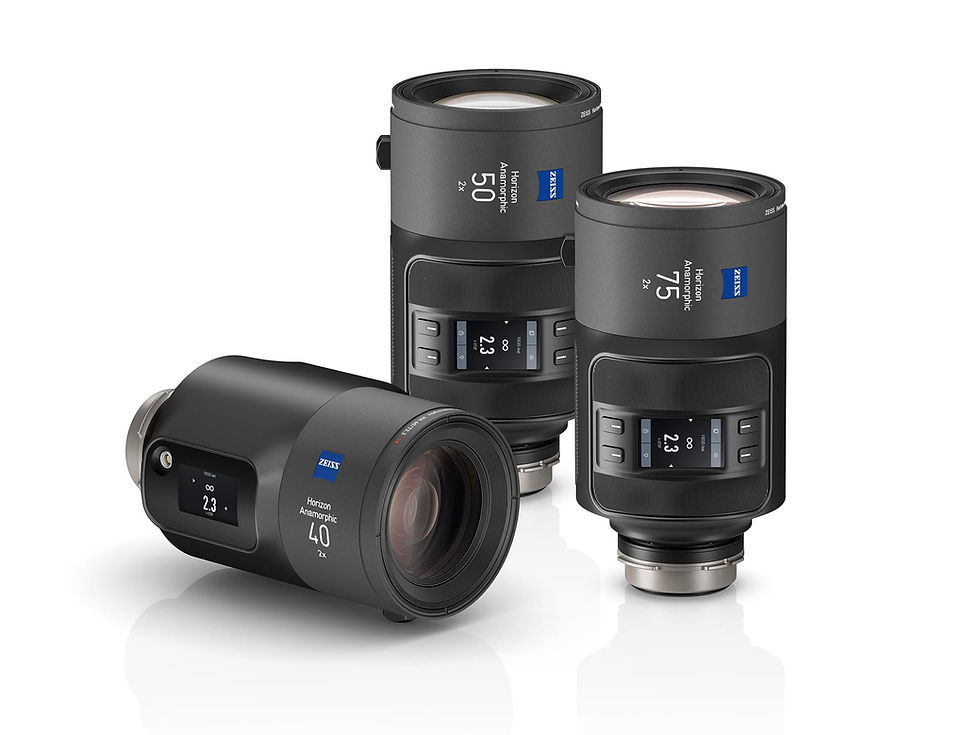
ZEISS eXtended Data — included within the /i Technology ecosystem, handled through the same pipeline.
Cinema and broadcast camera metadata
RED R3D — camera and lens metadata read automatically from native R3D files. Focal length, sensor identification and recording parameters all populate without manual entry.
ARRI ALEXA family — camera and lens metadata read from native ARRI sources, with support for ARRI metadata embedded in DPX, OpenEXR and Quicktime ProRes containers.
Sony Venice and Venice 2 — OpenEXR files containing MXF metadata generated by the Sony RAW Viewer application are parsed for camera and lens parameters.
Custom metadata mapping — PFTrack can be configured to read camera, lens and body parameters from non-standard or custom metadata tags using a metatags.xml definition. Rather than requiring metadata to arrive in a fixed format, an artist or pipeline TD can map PFTrack’s parameters (focal length, sensor make and model, frame rate, position and orientation) to whatever tag names a given production’s files actually use, including custom tags embedded in EXRs by a bespoke on-set or virtual production system. See the metadata tags documentation for the full schema.

Photographic metadata
EXIF — the universal stills camera metadata standard. PFTrack reads EXIF from any digital stills camera that writes it, including DSLRs, mirrorless cameras, smartphones and tablets. Focal length, sensor identification and lens information are all surfaced through the Photo Input node.
XMP — the extended metadata standard used alongside EXIF, including GPS coordinates and orientation data where available. Particularly relevant for photogrammetry workflows where geotagged source images need to be aligned with real-world coordinate systems.
Action and consumer capture
Mobile cinematography — iPhone Pro, iPad Pro and Android equivalents writing EXIF and XMP through their native capture pipelines are handled through the standard photographic metadata pathway.
Action cameras and drones — GoPro, DJI and similar devices writing EXIF and standard metadata are supported through the photographic metadata pathway. (Format-specific handling for GPMF telemetry and DJI flight logs is on the active development roadmap; the architectural foundation for that ingest is already in place.)
Federated sensor data
Where source files don't carry sensor metadata, or carry only partial information, PFTrack supplements with the Camera Sensor Database. The 2025 release added support for external sensor databases, beginning with Matchmove Machine's CamDB integration. For full detail on how to use it, see the dedicated PFTrack Camera Sensor Database article.

The Active Metadata Window: One Interface, Every Source
When a clip or photograph is loaded into PFTrack, the metadata embedded in or accompanying that media is parsed and displayed in the Metadata Parameters Window, in the Metadata tab in the Clip Input/Photo Input interface. The window is structured the same way regardless of source:
Camera Body — sensor size, sensor area, camera make and model, recording mode information.
Camera Lens — focal length, focus distance, T-stop, zoom position, lens make, model and serial number where available.
Photo Metadata (for stills inputs) — full EXIF and XMP payload including GPS and orientation data.
Source-specific extensions — additional sections appear when relevant, such as inertial data from /i Squared lenses or telemetry from drone footage.
This consistent structure is itself an architectural decision worth noting. An artist working with a shot from a Sony Venice sees their metadata in the same shape and position as an artist working with a shot from a smartphone. The interface teaches one mental model; the underlying parsers do the work of normalising across formats.
For complete reference, see the Clip Input node documentation and the Photo Input node documentation.
When Metadata Doesn't Arrive How You Expect
Real productions rarely deliver metadata in a tidy, predictable form. Tags get embedded inconsistently, custom on-set systems write to non-standard fields, and EXRs arrive carrying camera and lens data under names no two facilities agree on. This is where a lot of pipelines stall.
PFTrack’s customisable metadata mapping is built for exactly this. Using a metatags.xml definition, you can tell PFTrack where to find camera and lens data even when it arrives in a non-standard format or is embedded inconsistently within a file. Map focal length, sensor make and model, frame rate, or position and orientation to whatever tag names your production actually uses, and PFTrack reads them as if they were native.
Rather than being limited by rigid metadata requirements, PFTrack adapts to the way your production delivers data, so critical camera information can still drive accurate tracking, solving and pipeline integration instead of being lost because it arrived in the wrong shape. It’s the kind of flexibility that keeps a project moving when other tools would simply fail to read the file.
For the full schema and worked examples, including reading position and orientation metadata from drones, and frame rate from movie clips, see the metadata tags documentation.
The Connect Toggle: How Artists Control Trust
Every metadata value displayed in the Metadata Parameters Window has a Connect toggle next to it.
Disconnected (default). The metadata value is parsed and visible, but not used by the virtual camera model. The artist can see what the file claims about itself without committing to it.
Hint. The metadata value is used as a guide rather than a hard input. For example, a sensor identifier might be used as a hint to narrow the Camera Sensor Database lookup, rather than treated as the definitive sensor specification.
Connected. The metadata value is used directly as an input to the virtual camera model. A Connected focal length value populates the virtual camera's focal length parameter; a Connected sensor size populates its sensor parameter; a Connected /i distortion payload feeds the distortion pipeline.
This three-state system is the practical answer to the trust problem. Not all metadata deserves equal weight:
A focal length from a high-end cinema lens with /i Technology can be Connected with confidence, the protocol records the data accurately, the lens is calibrated, the trust is earned.
A focal length from a phone with unclear post-processing history is better set to Hint, visible to the solver as guidance, but not treated as gospel.
A metadata field of dubious provenance (uncertain sensor mode, unverified lens identification) can stay Disconnected entirely.
The artist makes the call, shot by shot, value by value. A pipeline that auto-applies all metadata equally is a pipeline that breaks under real production conditions; the Connect toggle is the practical mechanism that prevents that.
Pro Tip: Phone metadata is more useful than you think
Modern phones increasingly write spatial metadata that, until recently, would have been considered semi-professional. iPhone Pro and Android equivalents writing EXIF data through their native capture pipelines often produce surprisingly reliable focal length values. Set them to Hint rather than ignoring them outright, the solver benefits from the guidance even when the data isn't precise enough to Connect directly.
Time-Varying Metadata: The Dynamic Metadata Viewer
For time-varying metadata, values that change across the duration of a shot, PFTrack provides the Dynamic Metadata Viewer, accessible from any clip with such data present and parsed in the Metadata tab.
The viewer displays metadata as curves:
Zoom moves become focal-length curves.
GPS data becomes per-frame position data.
IMU data becomes orientation and motion history.
The viewer presents this metadata in a user-friendly way, letting the artist quickly assess its quality, checking for noise, dropouts, or discontinuities that might make a section unreliable, and decide how each source should be used in the solve. Zoom data, for instance, can be connected and used directly, or treated as a hint depending on how much confidence the artist has in it. GPS and IMU data, which are often noisy and prone to drift, can instead be fed into the solver as hints, helping resolve ambiguities and significantly reduce search times even when the raw values aren't accurate enough to use outright.

For shots where the on-set metadata recording was imperfect, a common reality on long days with multiple operators, the viewer makes these imperfections visible rather than baking them invisibly into the solve.
This matters more in 2026 than it did in 2016. Modern productions routinely include time-varying metadata from heterogeneous sources in the same sequence: a focus pull from a /i Cubed cinema lens, GPS and IMU data from a drone, a stabilisation log from an action camera. The Dynamic Metadata Viewer is the surface where those different sources become legible to the artist as comparable curves.
The Multi-Shot Scene: Where Metadata Becomes Spatial Intelligence
Reading metadata cleanly from any single shot is the first half of the problem. Combining metadata from many shots, captured on different cameras, from different vantage points, into a single coherent scene is the second.
This is where PFTrack's architecture differs structurally from most matchmove tools.
In PFTrack, shots aren't independent units of work. They're members of a scene. A PFTrack project can hold many shots, each with its own metadata payload, its own solver state, its own tracked features and survey points, but all of those shots share a single underlying scene: one coordinate system, one set of geometry, one survey of common features, one reconstruction.

When you solve shot one, the resulting camera position and scene geometry exist in a coordinate space that shot two will join when it's solved. When shot two contributes new survey points or geometry, those become available to shot three. Cross-shot constraints, shared markers, shared geometry, shared photogrammetric reconstructions, refine the solves of every shot they touch, not just the one currently active.
The practical consequences compound across a production:
Shared geometry across shots. A photogrammetric reconstruction built from a single shot is automatically available to every other shot in the scene as solving reference. An ARRI principal-photography solve can use geometry derived from drone aerial passes; a witness-camera solve can use geometry derived from cinema photography.
Shared survey points across shots. A surveyed feature visible in multiple shots constrains the solve of every shot it appears in, simultaneously. Solver convergence improves as the scene accumulates more shots, not despite them.
Coordinate consistency across capture sources. A drone pass solved with DJI metadata, a cinema shot solved with ARRI metadata, and a witness shot solved with GoPro metadata all end up in the same coordinate space, without manual alignment, without after-the-fact transforms, without precision degradation across capture sources.
Scene-level photogrammetry. Photogrammetric reconstruction in PFTrack isn't a separate process from matchmoving — it's an output of the same scene that the matchmove solves contribute to. See the Photo Cloud and Photo Mesh node documentation for the dense reconstruction workflow, and Align Cameras and Merge Cameras for the multi-shot consolidation utilities.
This is the architectural commitment that makes the metadata breadth operationally meaningful. Reading the major metadata formats is necessary, but it isn’t sufficient. Combining the resulting solves into a single coherent scene is what turns metadata into spatial intelligence.
Pro Tip: Build your scene incrementally
When working a multi-shot production with mixed capture sources, start with the shot that has the strongest metadata, usually the principal photography on a cinema camera with /i data. Solve it cleanly, establish the scene's coordinate space, then bring in shots with weaker metadata (consumer cameras, drones) and let the established scene constrain their solves. The metadata-rich shots act as anchors; the metadata-poor shots benefit from the geometry the anchors have established. This is the most reliable way to get coordinate consistency across heterogeneous capture in a single PFTrack project.
The Architectural Position
The pieces above, the Metadata Parameters Window, the Connect toggle system, the Dynamic Metadata Viewer, the federated Camera Sensor Database, the multi-shot scene architecture, aren't a list of features. They're a single architectural commitment, refined across more than two decades, that metadata belongs at the centre of the pipeline and shots belong inside scenes.
The practical result of that commitment is straightforward, and worth saying plainly:
PFTrack is the only commercially available 3D camera tracking and scene reconstruction application built around a unified metadata pipeline, ingesting cinema lens protocols, cinema and broadcast camera metadata, consumer capture data and stills photogrammetry sources, and combining them across multiple shots into a single coherent scene.
Other matchmove tools handle a subset of cinema metadata formats well. Compositing plugins like the recent Cooke Lens Distortion plugin for Nuke handle specific cinema metadata tasks within a compositing pipeline. Dedicated photogrammetry applications handle EXIF metadata thoroughly within a stills-only workflow. Each does excellent work within its scope.
But the position PFTrack occupies, the cross-tier, heterogeneous, artist-controlled metadata pipeline feeding a unified multi-shot scene, is, as far as we can evidence, structurally unique within the 3D camera tracking and scene reconstruction category. It was built deliberately, and it matters because the production landscape that needs it now is broader than the cinema VFX world that originally shaped it.
That's the architectural position. It's also the practical reason why mixed-capture productions, cinema plus drone plus mobile plus witness, work in PFTrack the way they're now expected to work.
FAQ
Does PFTrack support Cooke /i Technology lens metadata?
Yes. PFTrack supports all three generations of Cooke /i Technology — /i, /i Squared and /i Cubed, through the Clip Input node. Per-frame focal length, focus distance, T-stop, entrance pupil, hyperfocal distance and inertial data feed directly into the solver, with /i Cubed adding per-lens distortion mapping.
Does PFTrack read metadata from RED R3D files automatically?
Yes. PFTrack reads camera and lens metadata automatically from native RED R3D files, including focal length, focus distance, sensor identification and recording parameters, with no manual entry required.
Does PFTrack support ARRI ALEXA camera metadata?
Yes. PFTrack reads camera and lens metadata from native ARRI ALEXA sources, including ARRI metadata embedded in DPX, OpenEXR and Quicktime ProRes containers.
Does PFTrack support Sony Venice and Venice 2 metadata?
Yes. PFTrack parses OpenEXR files containing MXF metadata generated by Sony's RAW Viewer application to extract camera and lens parameters from Venice and Venice 2 footage.
Does PFTrack support ZEISS eXtended Data?
Yes. ZEISS eXtended Data is handled within PFTrack's Cooke /i Technology ecosystem through the same Clip Input pipeline.
What is the Active Metadata Parameters Window in PFTrack?
The Active Metadata Parameters Window is a permanent panel in the PFTrack interface that displays all metadata parsed from a loaded clip or photograph in a consistent layout, covering camera body, camera lens, photo metadata (EXIF/XMP), and source-specific extensions such as inertial or drone telemetry data, regardless of the original capture source.
What is the Connect toggle and what do its three states mean?
The Connect toggle controls how each metadata value is used by PFTrack's virtual camera model. Disconnected means the value is visible but unused; Hint means it guides the solver without being treated as definitive; Connected means it's applied directly, populating parameters such as focal length, sensor size or the distortion model.
What is the Dynamic Metadata Viewer used for?
The Dynamic Metadata Viewer displays time-varying metadata, such as zoom moves, IMU data and GPS data, as curves across the frame range, letting artists identify noise or discontinuities before deciding which sections feed the solve.
What is PFTrack's Camera Sensor Database?
The Camera Sensor Database is a federated lookup PFTrack uses to supply sensor information when a source file's metadata is missing or incomplete. The 2025 release added support for external sensor databases, beginning with Matchmove Machine's CamDB integration.
What happens if PFTrack receives metadata in a non-standard or inconsistently embedded format?
PFTrack's customisable metadata mapping lets users define, via a metatags.xml file, where camera and lens data is located even when it arrives under non-standard tag names or is embedded inconsistently. Focal length, sensor make and model, frame rate, and position and orientation can be mapped to whatever tag names a production actually uses, and PFTrack reads them as if they were native, including position and orientation from drones and frame rate from movie clips.
Does PFTrack read EXIF and XMP metadata from smartphones and DSLRs?
Yes. PFTrack reads EXIF metadata from any digital stills camera that writes it, including DSLRs, mirrorless cameras, smartphones and tablets, through the Photo Input node. XMP data, including GPS coordinates and orientation, is also read, particularly useful for photogrammetry workflows where geotagged images need to align with real-world coordinates.
Conclusion
If you take one thing from this article, take this: in a production landscape where every camera writes metadata and every shoot mixes capture sources, the matchmove tool's architectural treatment of metadata is no longer a secondary consideration. It's the foundation that determines whether your multi-shot reconstruction holds up.
PFTrack's metadata pipeline was designed for that reality, and refined across the years that the reality was emerging. The Metadata Parameters Window, the Connect toggle, the Dynamic Metadata Viewer and the federated sensor database are the surfaces an artist works with. The multi-shot scene architecture is the structural reason those surfaces produce coherent results across mixed sources.
For more on specific topics raised in this article, see:
For complete reference on the underlying nodes, the Clip Input and Photo Input documentation is the place to start, with the Camera Solver and Customizing PFTrack sections for deeper detail on the solver pipeline and custom XML formats.
Want to test PFTrack's metadata workflow against your own footage, or discuss multi-source production pipelines with other working matchmovers? Join our support community.
Try PFTrack Solo Free
Try PFTrack Solo free for 7 days, with full export functionality, enough time to load your own multi-source footage and see the Metadata Parameters Window, Connect toggle and multi-shot scene workflow in your own pipeline.
About the Author
Adam Hawkes is a PFTrack Product Specialist with over 20 years of hands-on experience in the visual effects industry. Trained in film handling and camera operation, Adam has spent his career working inside professional VFX pipelines, with IMDb credits spanning more than 60 productions in compositing, digital artistry, and visual effects, including work on landmark titles such as Avatar, Sherlock Holmes, Casino Royale, and V for Vendetta during his time at Framestore. That production experience gives him a practical understanding of how camera tracking, matchmoving, and 3D scene reconstruction fit into real VFX workflows, knowledge he now brings to PFTrack's tools for camera tracking, matchmove, and photogrammetry.